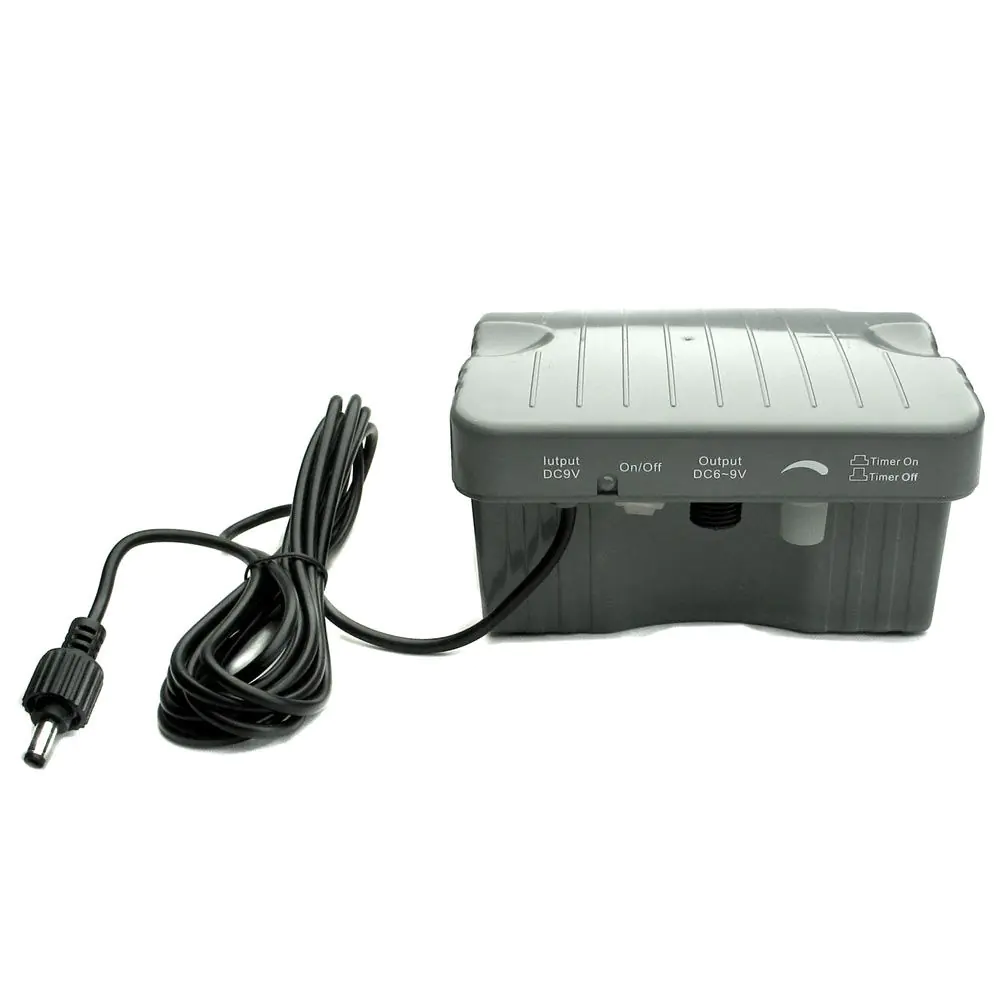
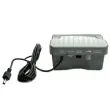
Use this battery pack between a compatible solar panel and a 6–9V DC device, then check the connector and voltage match before switching it on. It charges from a suitable solar panel whether the system is on or off, and it is intended for outdoor use but should not be submerged.
✓ 6.4V 3Ah LiFe Battery✓ Adjustable Output✓ 5W Max Power✓ Timer Mode✓ 5m DC Cable✓ Weatherproof
Key Features
6.4V 3Ah lithium iron (LiFe) battery – safe, long-lasting, and maintenance-free
Designed for 6–9V DC pond pumps and water features (up to 5W)
Weatherproof IP44 enclosure for reliable outdoor use (do not submerge)
5m integrated cable with standard DC plug for easy solar panel connection
Adjustable output (potentiometer dial) to fine-tune pump speed and power
Timer mode: runs your pump for 10 minutes every hour to save energy
Simple ON/OFF and timer control buttons with clear status lights
Automatic deep discharge protection for longer battery life
Lightweight, robust, and easy to install—just plug, adjust, and go
Choosing the Right Solar Panel
For best results, use a solar panel in the 6–10V (max 10W) range. Here are some popular options:
Connect your solar panel directly to the 5m cable (standard DC male plug)
Install the battery pack in a shaded, dry area (do not submerge)
Connect your 6–9V DC device to the output socket
Use the potentiometer to adjust output for your pump or feature
Choose continuous or timer mode for operation
Status lights show System ON and Timer ON
Automatic recharge and shutoff for battery health
Perfect For
Small pond and wildlife features
Eco-friendly outdoor fountains and birdbaths
Solar-powered aerators and mini water circulation
Any 6–9V DC pump or compatible device up to 5W
For best results, always fully charge the battery in sunlight before first use. Never submerge the unit or leave it in standing water. If you’re unsure about compatibility, contact our team for expert advice.
6.4V LiFe Battery Backup Power Pack – 3Ah, 5W Output, 5m Cable
Battery Type
Li-Fe (Lithium Iron)
Battery Capacity
6.4V, 3Ah (19.2 Wh)
Charging Voltage
DC 8V (solar module working voltage)
Solar Panel Compatibility
Minimum: 6V, 6W Maximum: 10V, 10W (standard DC barrel output, not included)
Input Connector (to solar panel)
Male 5.5 × 2.1 mm DC barrel plug with weatherproof screw collar, on a 5m integrated lead
Output Connector (to pump)
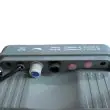
Case-mounted female 5.5 × 2.1 mm DC barrel socket with weatherproof screw thread
Connector Compatibility
DC barrel fitting — not a 2-pin connector. Suits 6–9V DC barrel pumps (e.g. Sunspray SE 360 / SE 450 / SE 500 class). Pumps with a 2-pin waterproof connector (SE 600 and larger) are not a direct fit.
Output Voltage
DC 6V–9V (adjustable via potentiometer)
Output Power
Max. 5W
Function Buttons
System ON/OFF, Timer ON/OFF, power adjustment potentiometer
Timer Mode
10-minute run every hour (if enough charge); skips hours if not enough power
Indicators
System ON light, Timer ON light
Weatherproof Rating
IP44 (suitable for outdoor use, do not submerge)
Certifications
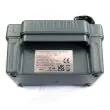
CE, UKCA
Installation Notes
Not compatible with AC pumps/devices. For 6–9V DC outdoor pumps or water features only. Check that your pump uses a 5.5 × 2.1 mm DC barrel connector before purchase. Charges from a compatible solar panel whether the system is ON or OFF.
6.4V LiFe Battery Backup Power Pack Installation Guide
Follow these steps to safely install and set up your battery backup for 6–9V DC pond pumps and water features.
Installation Process
1. Check Internal Battery Connection
Open the battery box and ensure the internal battery is securely connected via the small white plug.
Charge the battery as soon as you receive it; do not store uncharged.
2. Connect Solar Panel
Use a compatible solar panel (6–10V, 6–10W, standard DC output).
Plug the solar panel’s DC connector into the battery box’s 5m input lead (male 5.5 × 2.1 mm DC barrel plug, weatherproof screw collar).
The battery will charge whether the system is ON or OFF.
3. Connect Your Pump
Connect your 6–9V DC pump to the output socket on the battery box.
Ensure the pump’s connector is a 5.5 × 2.1 mm DC barrel type — DC-barrel pumps such as the Sunspray SE 360/450/500 fit directly; 2-pin pumps (SE 600 and larger) do not.
Check your pump’s voltage and power requirements before use.
4. Power & Timer Settings
Press the System ON/OFF button to turn the unit on or off.
Use the Timer button to enable 10-minute run every hour (if enough charge).
Timer light indicates when timer mode is active.
5. Adjust Pump Power
Use the built-in potentiometer to adjust output voltage and reduce pump speed for greater efficiency.
Lowering the power can extend battery runtime.
6. Safety & Maintenance
Do not submerge the battery box (IP44 weatherproof only).
Store in a dry place when not in use for extended periods.
Check all connections regularly for safety and performance.
How Your 6.4V LiFe Battery Backup Power Pack Works
Discover how this battery backup keeps your small pump or water feature running reliably, with optimized solar charging and smart power management—including timer and adjustable output.
System Overview
1. Simple Solar Charging
Connect a 6–10V solar panel (6–10W, not included) using the battery pack's 5m input lead terminating in a male 5.5 × 2.1 mm DC barrel plug.
Panel charges the battery automatically, whether the system is ON or OFF.
2. One Output Connection
Connect a single 6–9V DC pond pump or device (up to 5W) to the case-mounted 5.5 × 2.1 mm DC barrel output socket on the battery box.
Check your device’s connector and voltage for compatibility before use.
3. Adjustable Power (Potentiometer)
Use the built-in potentiometer to reduce power output and run your pump more efficiently.
Turning down the power lowers voltage, saves energy, and can extend battery runtime.
4. Intelligent Timer Mode
Activate Timer mode to run your device for 10 minutes every hour (if battery charge allows).
If battery charge is too low, the system automatically skips a cycle and tries again later.
Timer ON light shows when this feature is active.
5. Easy Operation & Indicators
System ON/OFF button for all-power control.
Status lights show System ON and Timer ON at a glance.
6. Battery Safeguards
Automatic shutoff protects against deep discharge, extending battery lifespan.
System remains off until battery is recharged to a safe level.
Best Practices for Effective Operation
Use a solar panel within the recommended 6–10V, 6–10W range for best results.
Keep your panel in full sun and clean to ensure reliable charging.
Set your pump to a lower power level for longer run times, especially in cloudy weather.
Timer mode is ideal for saving power when sunlight is limited.
Need Support?
If your system does not start, check that the battery is charged, and ensure your pump matches voltage/output requirements.
Still having issues? See troubleshooting tips or contact our customer support for quick assistance.