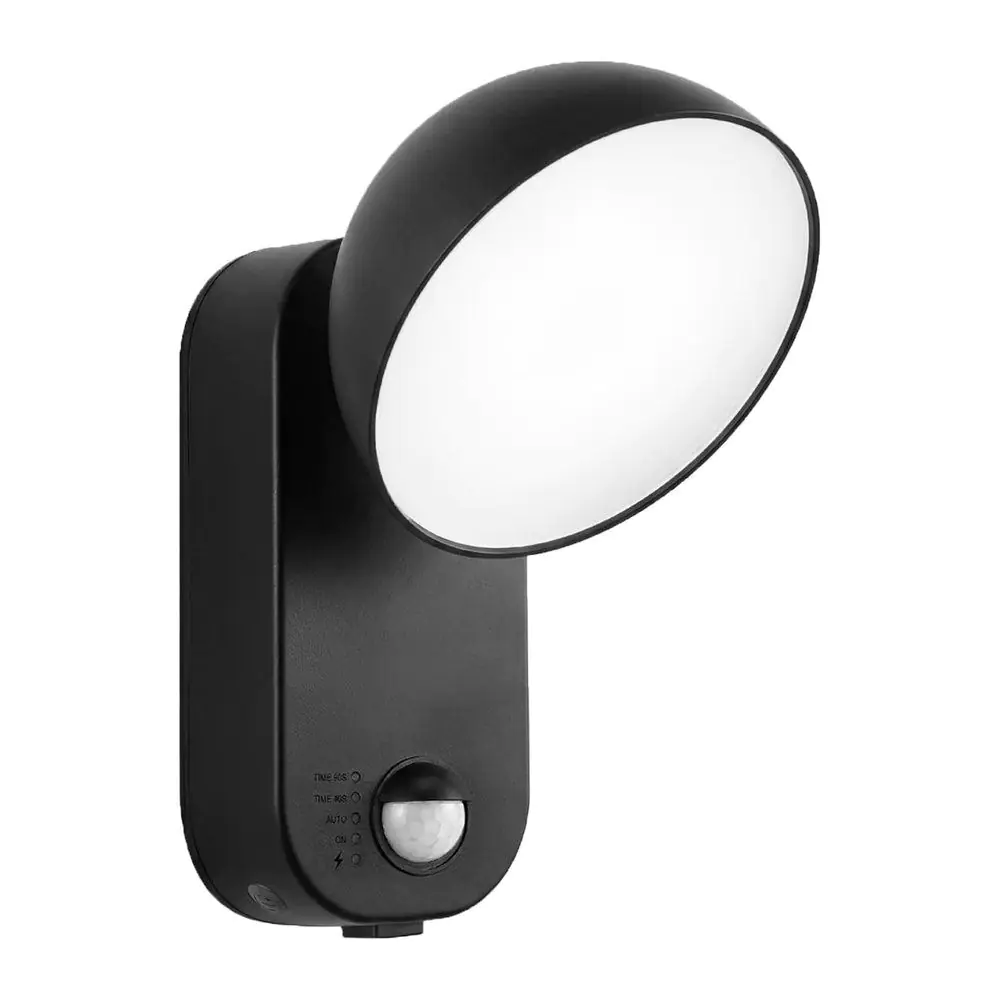
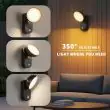
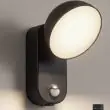
Battery security light with a 700-lumen swivel head, a motion sensor up to 6 m and a remote. Its 10000mAh battery recharges by USB-C, so there are no batteries to buy.
Mount the light where you want coverage and charge its built-in battery from any USB plug, so you can add illumination without running mains wiring or buying batteries. Choose motion, dusk-to-dawn or always-on, and change the colour and brightness from the remote.
✓ 700 lumens✓ 10000mAh rechargeable✓ USB-C charging✓ Day/Night & PIR sensors✓ Up to 6 m✓ 40 or 90 seconds✓ IP65-rated
Perfect for security, approach lighting, side alleys, or anywhere a light and a little peace of mind is handy. Install in minutes without an electrician—simply fix the wall plate to almost any wall and slide the light on.
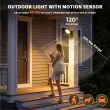
Either side of a front door, with no cable to run
Reliable, Hassle-Free Security Lighting
High Performance Illumination
Generates a bright 700-lumen light from a 4.5W LED panel
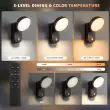
Warm (3000K), natural (4500K) or cool white (6000K), at 60%, 80% or 100% brightness
The round head swivels 350° to put the light where you need it
Efficient Motion Activation
PIR sensor detects movement across 120°, up to 6 metres away
Day/night sensor: motion mode only works after dark
Choose 40 or 90 seconds of light after the last movement
More Ways to Light
Dusk-to-dawn mode: comes on at dusk and stays on until morning
Always-on mode with a 2 or 4 hour timer on the remote
Remote control for modes, colour and brightness
Rechargeable & Low Maintenance
Built-in 10000mAh battery: no batteries to buy or replace
Charges by USB-C in about 8 to 10 hours
Zero wiring, zero running costs
Weather-Resistant & Versatile
IP65-rated against rain and dust (maker's rating)
Compact design (head about 12 cm across) for use indoors or outdoors
Ideal as a security light, approach light, or general wall light
Wizard-Fast DIY Installation
No electrician needed—screw the wall plate up and slide the light on
Lift it off the plate to charge, then slide it back
Perfect for sheds, garages, entrances, side paths, or gardens
Over a patio or garden path
Autumn and Winter Use
It runs on its own battery rather than a solar panel, so short, dull winter days don't stop it charging. Long nights do mean it's triggered more often, so expect to charge it more frequently in winter. Motion mode uses far less battery than dusk-to-dawn or always-on, and warm white at 60% makes a charge go further.
Indoors too: sheds, garages and storerooms
Common Questions
Does it need wiring or a solar panel?
No. It has a built-in 10000mAh rechargeable battery that you charge with the USB-C cable, so there's no wiring and no solar panel to position.
How do I charge it?
Lift the light off its wall plate, open the rubber flap underneath marked TYPE-C and plug in the USB-C cable. Use a 5V 2A USB plug (not supplied). A full charge takes about 8 to 10 hours.
How long does it stay on after it detects movement?
You choose: 40 or 90 seconds after the last movement, set from the remote. In motion mode it only works after dark.
What's the difference between dusk-to-dawn and always-on?
In dusk-to-dawn mode the light sensor switches it on at dusk and it stays on until morning. Always-on stays lit whenever you switch it on, and the remote timer can turn it off after 2 or 4 hours. Both use much more battery than motion mode.
Can I change the colour and brightness?
Yes. The remote switches between warm (3000K), natural (4500K) and cool white (6000K), and between 60%, 80% and 100% brightness.
No wiring and no electrician. It takes a few minutes with a drill and a screwdriver.
1. Charge First
Charge the light fully with the USB-C cable before fitting it. A full charge takes about 8 to 10 hours.
2. Pick the Spot
Choose a firm wall or fence where the sensor can see people coming: over a door, along a side path or on a shed or garage. Fit it out of easy reach, because the light lifts off its wall plate for charging.
3. Fix the Wall Plate
Hold the wall plate in place, mark the two screw holes, drill and plug them if needed, and screw it on.
4. Slide the Light On
Slide the light down onto the wall plate until it sits firmly.
5. Aim It
Swivel the round head to point the light where you need it.
6. Choose Your Settings
Use the remote to pick motion (40 or 90 seconds), dusk-to-dawn or always-on, then the colour and brightness. Walk past after dark to check it.
I bought this to light an area in shadow approaching the kitchen door. It was easy to install but be aware it recommends 5.5mm holes for the screws (all fixings supplied). Illumination is sufficient for my requirements and speedy to work with sufficient detection zone.